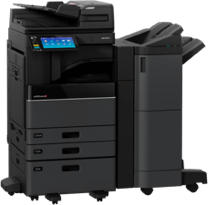
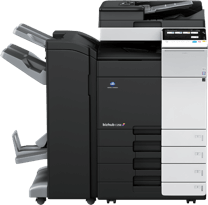
Modern office printers store data, connect to networks, and handle sensitive information, making printer security essential for preventing cyber threats and data leaks. Pull print and PIN release protect documents at the device, while hard-drive wiping removes stored data during upgrades or lease returns. Securing printers with proper authentication, updated firmware, encryption, and managed print services helps businesses maintain compliance and protect confidential files. Busys configures printers with enterprise-grade security from day one.
Office printers are no longer simple output devices. They are fully networked endpoints that store data, receive jobs across the LAN and cloud, and act as shared workstations in hybrid workplaces. That shift makes printer security a critical part of protecting sensitive data, preventing data breaches, and maintaining compliance with modern security protocols.
In many organizations, printers fall outside the same strict IT controls applied to laptops, servers, and mobile devices. Yet the risk is identical: stored files, cached scans, unpatched printer firmware, and unsecured print queues can expose businesses to cyber threats that often go unnoticed until it’s too late.
This guide explains the fundamentals of maintaining printer security in an office environment, including pull printing, PIN release, hard drive wiping, secure printing practices, and network printer security best practices.
Why Office Printer Security Deserves Your Attention
Most offices rely on printers every day, yet many still treat them as low-risk tools rather than full networked endpoints. Modern devices store scanned documents, communicate across networks, authenticate users, and integrate with cloud systems. Without proper security protocols, they become weak points in an otherwise secure IT ecosystem.
Common security risks include:
- Unclaimed printouts containing HR files, contracts, medical forms, or invoices
- Cached copies of scans and copies sitting on internal storage
- Weak or default passwords, leaving printers open to remote access
- Outdated printer firmware that exposes devices to cyber threats
- Unsecured Wi-Fi or guest-network printing
- Poor tracking of printer usage across departments or hybrid teams
Industry research from HP and Canon reveals that printers are increasingly targeted because they store sensitive data, yet they rarely receive the same level of security oversight as other devices. Several large-scale cyber events in recent years traced their initial entry point to an unpatched or unsecured multifunction printer.
These risks are proactively addressed for Busys’ customers. Every leased or purchased printer is configured with hardened settings, user authentication tools, network restrictions, and secure printing practices designed to prevent data breaches from the start.
Pull Printing (Secure Print Release): Why It Matters
Pull printing, also known as secure print release, is one of the simplest and most effective methods to prevent unauthorized access to printed information. With this feature, a print job is held in a secure, encrypted queue until the user completes authentication at the device.
How Pull Printing Works
- A user sends a document to a shared print queue.
- The document remains encrypted on the print server or in the cloud.
- The user arrives at the printer and authenticates with:
- PIN code
- Badge/fob
- Username + password
- Multi factor authentication (on select devices)
- The printer releases the job instantly.
Why Pull Printing Is Essential
- Prevents sensitive data from sitting exposed on the tray
- Ensures printed material reaches only the intended user
- Reduces “print and abandon” waste
- Improves printer usage tracking and audit trails
- Supports hybrid teams that often print from remote or mobile devices
- Strengthens secure printing practices across the office

Image Source: Canva
PIN Release: Simple, Secure, and Ideal for Regulated Environments
PIN release is a streamlined version of pull printing. Before a job prints, the user enters a pre-assigned numeric code directly at the device.
When to Use PIN Release
PIN release is especially valuable for:
- HR printing employee files
- Finance printing payroll or client invoices
- Healthcare printing confidential reports
- Legal offices printing case materials
- Executives handling corporate strategy documents
These environments often handle sensitive data and require additional assurance that printed documents are never left unattended.
Why PIN Release Works
- No additional hardware required
- Easy to implement for small and mid-size teams
- Supports secure printing practices with minimal friction
- Prevents unauthorized individuals from collecting documents
- Works across multifunction printers used by multiple departments
Data Residue: Why Wiping Printer Hard Drives Is Critical
Multifunction devices contain internal storage, meaning they keep digital copies of:
- Scanned documents
- Copied pages
- Fax logs
- Print job histories
- Authentication logs
- User details from address books
If a printer is traded in, recycled, or relocated to another department without being securely wiped, this data can be retrieved by unauthorized parties.
This is especially dangerous for industries governed by data protection regulations, including:
- Healthcare
- Finance
- Legal
- Education
- Government
- Engineering and manufacturing
How to Wipe a Printer Hard Drive Safely
Most modern printers support multiple wipe levels. General steps include:
- Enter admin settings.
- Navigate to Security, Storage, or Data Management.
- Select the wipe type:
- Quick wipe (not recommended for sensitive data)
- Full overwrite (multiple passes)
- Cryptographic erase (fastest and most secure)
- Confirm wipe.
- Reboot the device.
- Reconfigure or prepare for decommissioning.
Network Printer Security Best Practices
Below is a simple reference table summarizing essential steps for maintaining printer security and reducing exposure to cyber threats.
Printer Security Best Practices
|
Security Measure |
Why It Matters |
Implementation Tips |
| Change default passwords | Prevents unauthorized access | Immediately set strong admin passwords |
| Update printer firmware | Blocks vulnerabilities exploited by cyber threats | Enable automatic updates when possible |
| Use pull print/PIN release | Protects sensitive documents | Require authentication on shared devices |
| Encrypt data in transit & at rest | Secures sensitive data end-to-end | Enable SSL/TLS and device-level encryption |
| Disable unused ports/protocols | Reduces attack surface | Turn off FTP, Telnet, and USB ports |
| Place printers on secure VLANs | Enhances overall network security | Segment printers from guest or public networks |
| Wipe hard drives at lifecycle end | Prevents data breaches | Use secure erase functions or Busys-managed wipes |
Checklist for Choosing a Secure Office Printer
When evaluating new printers for your organization, consider the following elements:
1. Built-In Security Features
Look for printers offering:
- Encrypted printing
- Secure boot
- Verified firmware updates
- Pull printing and PIN release
- Multi factor authentication options
- Automatic patching tools
- Storage encryption
2. Fleet-Level Management
Enterprise environments require coordinated printer management across locations. This includes:
- Centralized configuration
- Usage tracking
- Remote firmware patching
- Policy enforcement
- Monitoring for abnormal printer usage patterns
3. Hybrid-Work Support
Today’s secure printing practices must accommodate remote and mobile workflows:
- Cloud print queues
- Secure mobile printing
- Zero-trust aligned authentication
- Role-based access controls
4. Device Lifecycle Security
Security must extend beyond installation:
- Initial secure configuration
- Network security adjustments
- Ongoing firmware patching
- Remote diagnostics
- End-of-life data-wipe services
Busys supports businesses through each of these stages with managed print services designed to strengthen network security and prevent data breaches.
Why Choose Busys for Office Printer Security
Busys has supported Canadian businesses since 2004 and specializes in security-first print environments. Beyond hardware sales, Busys provides secure configuration, printer management, and managed print services to help companies reduce exposure to cyber threats.
1. Security-Centric Device Setup
Every Busys deployment includes security protocols such as:
- Admin password hardening
- Network security configuration
- Pull print and PIN programming
- User authentication setup
- Printer firmware update scheduling
2. Secure Leasing & Hardware Options
Busys offers secure, commercial-grade printers from:
- HP
- Canon
- Toshiba
- Konica Minolta
All devices can be configured for enterprise-level data protection, advanced printer management, and hybrid-work security needs.
3. Ongoing Service & Monitoring
Support includes:
- Break/fix services
- Remote monitoring
- Predictive maintenance
- Firmware updates
- Auto-toner replenishment
This significantly enhances long-term printer security and minimizes downtime.
4. End-of-Life Security
Whenever a printer is:
- Returned from lease
- Replaced
- Upgraded
- Repurposed
Ready to secure your office printers?
Busys configures every commercial device with encryption, pull printing, PIN release, and secure network settings.
Learn more about Managed Print Services.
Frequently Asked Questions
1. Can office printers be hacked?
▼
2. What is pull printing?
▼
3. How do I wipe my printer’s hard drive?
▼
4. Do small offices need printer security?
▼
5. What security features matter most?
▼
In Summary: Protecting Your Office with Smarter Printer Security
Office printers store and transmit more sensitive data than most businesses realize. Implementing pull print, PIN release, secure data wiping, and strong network security practices significantly reduces the risk of cyber threats and unauthorized access.
From secure device setup to fleet-wide monitoring, Busys helps businesses safeguard confidential documents and reduce cyber risks.
Speak to a Busys specialist for a tailored security setup.